Showing posts with label hardware. Show all posts

Tuesday, October 28, 2008

Firewire vs. USB Performance in New Laptops


So Apple has dropped Firewire from the MacBook and don't expect to ever see it againon the consumer-level laptop from Apple. This is too bad, especially since Apple really boosted the performance of the new MacBook--it would have made a decent computer for editors if it had had Firewire.

The lack of Firewire raises two big issues for video folks. First, the performance of hard drives over USB has traditionally been really poor on Mac's--usually half the speed of Firewire 400. Second, there are all kinds of other gear that uses Firewire--decks, cameras, Firestore, video monitoring/digitizing equipment. We layoff to DVCam at Link and get most of our footage from DV and HDV tapes.

One good bit of news about peripherals with the new laptops is that Apple has finally raised the performance of USB. Check out this article at Bare Feats to see the results of a comparison of hard drive performance of USB, FW400, FW800, and Sata drives on the new laptops. USB is almost as fast as Firewire 400 on the new MacBook Pro.

I still wouldn't recommend doing any serious editing with USB drives on these new laptops. I guess it could work, but Firewire was supposed to be a better standard. My guess is that you would run into problems with capturing and laying off if your media was on USB drives. But these are educated guesses at this point. This may change if Apple does a better job of implementing USB on their Mac's.

Monday, September 1, 2008

Drobo: Your Data Robot

Drobo has been around for about a year and when it first came out I judged it as "cool but not ready for primetime." Drobo is a unique RAID setup for hard drive storage. The biggest drawback was the Drobo only had a USB interface, which is not cool for video editing. Well, this summer Drobo 2 came out with Firewire 800. Data Robotics, the manufacturer, is touting read speeds of 52MB/s and writes of 34MB/s--not too shabby. They say it's good for uncompressed SD, DV, and compressed HD. They cite DVCProHD as OK, but at those data rates I'm thinking that Apple's ProRes 422 is supported too. ProRes maxes out at about 26MB/s--generally I think if the drive's speed is double the needed data rate, then you are OK.

So what makes Drobo unique? It's got a great combination of redundant data storage and the easy-to-use factor. The Drobo case holds up to 4 hard drives, and you only need 2 drives to get started. Your data is spread across the drives in such a way that if one drive failed then you wouldn't lose any data. Need more storage? This is the great part. Just slide in another hard drive of any size. Drobo incorporates you new drive into the existing RAID. If you have four drives in the case and run out of space, then no problem. Simply replace the smallest drive with a bigger drive to get more storage.

My experience with RAID has never gone beyond buying a G-Raid. Whenever I looked into setting up a RAID on my own, there were always enough drawbacks to keep me from making the plunge. It just seemed too difficult to manage all the drives. We are in drive overload anyway. Plus the added expense of more drives and SATA gear was always an issue. Granted Drobo is not cheap. At $500 without any drives, that's a hefty expense to swallow. But I think over it's life it will make up for that in the cost saved by not buying drives with cases, plus the peace-of-mind that you get with redundant storage.

There could be some drawbacks to Drobo. One is that you are putting all of your eggs in one basket. Yes, you are protecting yourself against the failure of a hard drive, but what if Drobo fails. Then you could be in real trouble and pray that Data Robotics will come to your rescue (and do so promptly). Also all of the management seems automatic. That's good if you don't want to deal with the hassle of repairing a RAID with a bad drive, but bad if the maintenance takes place in the middle of a big deadline. If a drive dies, then you don't lose any data. But then Drobo has to start shuffling around all of your data between the existing drives that are still working, and this will take a lot of time. While you are supposed to still be able to access Drobo while it does this automatic maintenance who knows what kind of performance you will get as Drobo and the drives are very busy. Will the Drobo still be able to playback and record video while it rebuilds? So while losing a drive could mean no lost data, it doesn't necessarily mean no downtime for us video editors. But overall, I'd prefer losing no data but have a slower system for a day or so, then totally losing the data.

You are also giving up some of the transportability of a G-RAID. While the Drobo can be moved, it will probably end up having all of your storage on it. If you like to put individual project on a drive, which gets moved around, then Drobo is probably too expensive for that. So it's both good and bad that Drobo can be the only drive case that you will need.

Here's an example of a Drobo system once you get the drives.
Drobo...$500
(3) 500GB Hard Drives...$325
Total Cost...$825
Total storage...930GB
That compares to my favorite type of storage a G-Raid, which gives you the same amount of storage for $355. So that's $500 up front is a lot to ask for. But I'll be thinking about his seriously in the future.

Here are some links on Drobo:
Drobo in Action
A video from Data Robotics on how Drobo works.

Drobolator
See how much storage Drobo will give you when you put different drives inside.

Drobo Firewire 800 Review
A short review of the new Drobo that gives more info on the benefits and setup of Drobo.

Thursday, July 3, 2008

Troubleshooting with Activity Monitor

Recently Activity Monitor has been instrumental in troubleshooting problems for me. Activity Monitor is part of the Mac OS and lives in the Utilities folder, which is in the Apps folder. It gives you read-outs on things going on with the computer, including what the CPU and RAM are doing.

Here are a couple of good descriptions of the RAM display in Activity Monitor:
Final Cut Studio - System Memory Usage--Larry Jordan's Tip of the Day
Mac OS X: Reading system memory usage in Activity Monitor--Apple Support

The two pages actually give somewhat contradictory advice. Larry Jordan says that if your wired and active memory is regularly half of total memory then you could benefit from a RAM upgrade. While Apple says that even if you only have 10MB of free memory you don't necessarily need more RAM.

I've been noticing some bad examples of slow FCP that I blame on memory issues. So I think it's important to keep track of your RAM issues. Here some tips to keep your RAM usage streamlined and efficient:
- If you don't plan to switch back to an app, quit it and don't leave it open
- Avoid running multiple apps at once, especially programs that can suck up memory, like FCP, DVD Studio Pro, After Effects, and Photoshop
- Only keep open FCP projects open that you need, same things with sequences
- Restart your computer at least once a day and if your system seems really slow then restart it
- Web browser and webpages can use a surprising amount of RAM--avoid browsing with lots of windows/tabs
Now all of these RAM saving tips can reduce your efficiency in working. So it's a tradeoff. If your system zips along fine, then don't worry about it. But if you notice that your system starts the day zippy and ends up later trudging along, then try to follow some of or all of these tips.

I also uncovered a problem recently with Mosaic where the Mosaic project file had become huge even though there didn't seem to be that many clips or edits in the project. The size of the project file can give you an idea about how much memory an FCP project will take up in your RAM and how many resources the computer will use to work with the project. I'm not really sure why the Mosaic project file got so large--over 300MB. But I think it hurt that the editors were just adding stuff into the same project file day after day--even if they were deleting old clips and sequences regularly. I think the Mosaic project seems to have retained data from old clips and/or timelines that had been deleted and didn't appear in the project view. So I created a new project and just copied the timeline and clips that were visible in the project window--the new project was something-like one-tenth of the size, and the system got much quicker. I also read recently that clips that are really long are more taxing on the computer than more shorter clips that have the same amount of media.

Another things that Activity Monitor does is measure CPU usage. This was helpful recently when I was having problems with the single processor G5 computer. An intern was having problems capturing DV footage from a DV deck. I had set up an unusual firewire cabling setup, so first I tried changing that--no luck. Then I brought in a different deck. No matter what I did, I was still getting dropped frames and funky audio dropouts. I noticed that the intern had Firefox running, which I didn't think was I big deal--she was checking her Gmail. Then I opened up the Activity Monitor and I saw that Firefox was quite active. It's CPU usage was hopping all around, peaking at up to 15% of the computer's CPU usage. And it wasn't even like she was actively browsing--that's was up to 15% of the CPU just to keep up with Gmail. Well I quit Firefox and the computer started capturing fine and did about 5 hours of capture with no problems.

Now I'm lucky to have a four-core G5, and I regularly have multiple webpages, email client, and even iTunes running all while I capture from DV. But for a single-processor G5 the demands of running FCP, capturing DV, and having Gmail open were too much. So it is important to know your computer. Also remember that laying off is at least as demanding on your system as capture and almost always much more. You are almost always playing back multiple clips at once (remember all your audio tracks) and your system is probably trying to apply some real-time effects to the video and/or audio. So be even more conservative about what your computer is doing when you lay off to tape.

BTW, I recommend Larry Jordan's Tip of the Day. I don't want to visit his website everyday, so I subscribed to the RSS feed and check out the tips when I have time.

Saturday, January 12, 2008

Apple Updates the Mac Pro

Apple has refreshed the Mac Pro--the first full turnover of the Mac Pro since it was first announced in August of 2006. The line has switched from being dominated by Quad-core Xeon's to being dominated by Octo-core Xeon's. There was an uptick in price for the recommended system from $2500 to $2800 for an 8-core 2.8 GHz Xeon Mac Pro.

There are some other improvements in the system architecture and early results show good improvements in system performance. While adding 4 more cores doesn't double the speed, these systems look signficantly faster than older Mac Pro's, especiallly in encoding video. Check out this benchmark test from MacWorld for more info:
"From the Lab: Internal changes bolster latest Mac Pro"
I was surprised at what low marks they gave the internal hard drive that ships with the new Mac. I've always assumed that those had decent performance, but MacWorld found a significant speed bump on their multi-app test by putting a hard drive from an older Mac Pro into the current 8-core 2.8 GHz Xeon. For some good specs on hard drive performance, check out Bare Feats. Apple also has some performance comparisons with other Mac towers here, including rendering & encoding with FCP and After Effects.

There had been rumors that Apple was ready to add a Blu-ray drive for playing back high-def movies to the Mac Pro's. For PC's, adding an HD DVD or Blu-ray drive, or both, is now a common option. Nothing from Apple about Blu-ray for these new computers, but an announcement could come at the MacWorld Conference. I'm anxious to see Apple add Blu-ray disc authoring to DVD Studio Pro, as well as decent support for the HD DVD standard. Adobe's Encore already does this. Commentator Bob Cringely suggests that Jobs will ignore high-def discs because he sees them as a threat to iTunes ruling the media world in his latest column (he also thinks Apple will buy Adobe, which seems a bit far-fetched to me.)

Wednesday, December 5, 2007

Tutorial on Setting up Drives for Editing

Formatting & Partitioning a Hard Drive in OS X - Tiger and Leopard
By Ken Stone

A short tutorial from kenstone.net that covers the basics on setting up a hard drive for editing. Goes over formatting and partitioning. I sometimes will partition a hard drive. A hard drive's performance drops as the drive fills up, so I will often split up a disc in a faster partition and a slower partition. (One reason I like G-Raid's is that you can get good performance out of the drive even when it is full.)

Article also covers good things to know about permissions and journaling.

[via StudioDaily blog]

Saturday, November 17, 2007

Firewire 800 on Mac Towers

"REVIEW: Sonnet Technologies Tango Express 800 PCIe Card"

An interesting new product review here with lots of good tidbits about a number of different factors that have been affecting firewire on the Macs with PCI Express slots. Bare Feats says that this Sonnet card brings a new level of performance to its product class after some disappointing products from some other manufacturers (I think I have one of those disappointing products.)

Thursday, October 11, 2007

Daisy-Chaining Firewire Drives

I've identified some serious problems with drive performance when daisy-chaining at Link TV. Daisy-chaining is a way to hook up multiple devices (in this case, hard drives) to one port (in this case, firewire). Firewire is theoretically supposed to handle 63 devices in one chain. I've been daisy-chaining firewire drives to FCP for 6 years, but Apple doesn't consider this a supported setup for editing.

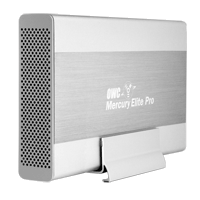
Well, I've finally run into some real problems with daisy-chaining firewire drives. I've been seeing some real poor performance out of drives. Symptoms include aborted file transfers, the hanging up of the system when a movie is played, and very slow write performance. I think I've figured out the cause. There seems to be some problems mixing certain drives in one chain. In particular, I think certain drives from Other World Computing (OWC) don't play well with other drives, in particular drives from G-Technology, like the G-Raid. OWC makes the Mercury Elite Aluminum Pro drive and RAID. G-Technology makes the G-Drive and the G-RAID.

The workaround I've identified is to make sure that a chain of drives is all from one manufacturer. For example, in our dub room setup, the G-Drive is on a firewire 400 port and the OWC drives are on the Firewire 800 port. Our computers in Edit 2 & Edit 3 have PCI cards that add 3 firewire 800 ports. So there are a lot of ports there, and it's easier to segregate OWC and G-Technology drives.

So far I've been able to diagnose this problem by checking the read/write performance of drives when I think there is a problem. I've been using the SpeedTools utility QuickBench to check drives by running the Extended Test with 20-100 MB files. If you are seeing a drive read or write at 10 MB/sec or slower then something is seriously wrong. If you think daisy-chaining may be the issue, a quick way to check is to unplug all the drives except the one that is acting up. If you then retest the drive and performance is way up, then you probably are dealing with a problem with daisy-chaining.

I've seen other, less serious problems with daisy-chaining. My write speeds on G-RAID's drops by about half when they are daisy-chained. This is a nuisance, but it's never really interfered with my work. I'm not doing any capture of 10-bit video or anything too demanding luckily.

Monday, July 9, 2007

The Trouble with G-RAID's

I often get asked for recommendations for hard drives for editing. Personally, I've probably bought 10 G-RAID's in the last couple of years and haven't lost any data yet (knock on wood.) Although, I know folks who have, and I have had some problems with these units.

One of my big concerns with G-RAID's is that they are RAID 0. As this article ("Don't get burned by RAID zero") points out RAID 0's have three potential points of failure--two hard drives, and the RAID controller. If any of these fails, you are hosed.

I also recently discovered that G-RAID's performance drops significantly, even dramatically, when used in a daisy-chain fashion (especially write speeds.)

At the moment, I'm still not satisfied with the alternatives for my lean budgets. So I'll probably buy some more G-RAID's in the future, but when people ask I can't whole-heartedly recommend them.

Sunday, July 1, 2007

Prices Dropping on Big LCD Displays

For years, I've been dreaming about replacing my two small LCD monitors with one 24" LCD display. This year has seen some big prices drops with a lot more competition in the 24" LCD market.

A big benefit of the 24" LCD is its resolution, which can display the full raster of 1920x1080 HD video. Some displays like the 24" from Gateway even do a decent job of displaying HD video, as well as working as a good computer display. (BTW, in tests I was not happy with how the Dell 24" LCD did displaying video--it makes a great computer monitor though.)

Now competition is heating up with more LCD brands getting in the mix. Within the last year there was a lot of competition in the 22" and 20" display range and prices have fallen dramatically. I even see deals for a 20" display for around $200 at dealmac. Last year, you couldn't get a 24" below $600. Now CompUSA has an Acer 24" for $450. I can't say if this is a decent display, but it definitely signals some changes in pricing. Viewsonic is selling a 28" display with 1920x1200 raster for about the same price as a Dell 24" display. Makes 24" sound kind of paltry.

Apple isn't interested in price competition. They excel at style and they don't really have any competition in that game. Their 23" is still running at $899. There are some legitimate reasons to choose Apple's 23". Not just to impress clients. Namely I was thinking of its ability to do a great job of displaying HD for criticial applications with products like the Matrox MXO.

Monday, June 4, 2007

How much is that old Mac worth?

This is a cool site. mac2sell.net estimates the resell value of your old Mac. You enter in your specs and it guesses the value. I'm not sure how accurate it is, but it's a place to start when thinking about how much you might get if you want to sell (or how much is reasonable to pay if you want to buy.) My iBook G4 933 MHz is worth $440 according to them.

Monday, May 14, 2007

Matrox MXO 2.0

This little box, the Matrox MXO, gives you broadcast-quality HD out of a DVI port, either from a tower or a laptop. It is also meant to help you monitor high-def video on a computer display, like the Apple Cinema Displays. Shane Ross writes very favorably about the accuracy of the video display from the MXO on LCD's here and more recently here after trying the new 2.0 drivers. The 2.0 drivers allow you to do some calibrating of a DVI display opening up the possibility of using less expensive LCD's than Apple's.

So this looks like an interesting option for doing color-correction with high-def. At around $1K it's more expensive than the inexpensive Intensity products from Blackmagic Design, but it promises better results in accuracy of video. Works with DVI, so takes up a port that could be used for a 2nd monitor, but that does allow for easy use with laptops. It also does simultaneous downconvert on its analog outputs for viewing on a standard-def monitor. Blackmagic and AJA do offer products that let you use an Apple Cinema Display to display HD video but they only take an HD-SDI input. So they require more hardware to monitor HD video.

Sunday, May 13, 2007

HD for Indies partners with Silverado Systems

"HD4NDs Big Announcement #2: Mike's Recommended System Configs via Silverado Systems "

I know this sounds like a press release, but I'm a big fan of Mike Curtis' HD for Indies website and I think he is on to something with this new venture. Silverado Systems, which is outside of Sacramento, CA is selling FCP systems that Mike recommends. Most of the systems are based on a write-up for DV.com that Mike did recently. I personally prefer to put together my own systems, but I have yet to tackle a system for high-def. And when trying something new, especially if it is as complex as putting together a system for uncompressed high-def editing, then it can't hurt to have a value-added reseller behind you if you can afford it.