Showing posts with label storage. Show all posts

Wednesday, November 12, 2008

Refreshing Hard Drive Storage


Larry Jordan has recently been warning against the dangers of leaving drives on a shelf for periods over a year. He says that after a year, the data will start to essentially disappear. There's a way to avoid this effect of the vanishing data, and that's to have the computer read the entire disc.

Larry just posted an article on how to do this preventive action on his recent newsletter (not sure if this link will work for long, as these newsletters are only available for a limited time.) Here's the basics of the preventitive action.
-Make sure your user account has administrator access
-Open the Terminal applications, which is in the Utilities directory
-Enter this command: sudo cat /dev/rdisk0> /dev/null
Actually that command will read your entire boot drive, which is probably not the drive that has been sitting on a shelf for a year. You can run this task on different drives, but first you have to figure out the identifier for the drive (hint: it's not the name that you called the drive.)

To get the disk identifier, go to Disk Utility, also in the Utilities folder. Select the drive, not the volume--the drive's name usually starts with the capacity of the disk followed by the drive's manufacturer, e.g., Seagate, Hitachi, LaCie--the volume is what you named the drive or a partition on the drive. After selecting the disk that you want to run the maintenance on, click on the info icon at the top of the application window. This opens a new window with info on your drive, the disk identifer is the word "disk" followed by a number. If the disk identifier was disk2, then your command would be: sudo cat /dev/rdisk2> /dev/null

The command will take a while to run--we're probably talking hours. You can interrupt this procedure by hitting Control + C while in the Terminal.

Disappearing data is only one risk you run by using a hard drive as long-term storage. But this seems like something worth doing if you care about the data that you have left on a drive.

Tuesday, October 21, 2008

October Blogwad

"3D Objects from Photoshop in After Effects CS4"
Adobe CS4 is shipping. The thing that most interested me is you can have 3D objects in After Effects. There are a number of limitations on this. This little video shows you the basic of working with 3D objects and discusses the limitations in After Effects (the biggest for me is objects don't respond to lighting in After Effects.) More new features described here.

"Top 10 things you didn't know about the new MacBook"
New MacBook and MacBook Pro's were announced. Each model lost a Firewire 400 port. That leaves the MBP with one FW800 port, but the MacBook with no Firewire port and no way to add it. Some good things about the new laptops too (besides looking really slick.)

"Final Cut Pro: Free plugins to make all fonts available"
Why by version of 6, Apple still hasn't fixed this I don't know. But here's a text plug-in that is supposed to let you use all of your fonts in FCP.

"Final Cut Pro: My free Closing Credits plugin"
From the same guy who made the type plug-in above. The cool thing about this is that it lets you control the lines per second speed of your scroll. I basically almost always use one speed for credit rolls--120 lines pers second. (To know why read from Adam Wilt here). I do keyframe animation of Title 3D to do this, but it's a pain. This plug-in is an easier way to get the speed right, but you lose all the nice type editing features of Boris 3D.

"Build your own affordable SAN -- that works!"
Remember my crazy idea to use Jonathan's computer to build a SAN. This is where I got the idea. I'd still like to do it, but nobody wanted to give me $3K to play around with this, instead of letting editors use the computer.

"What to do if you lose your Pro App serial number"
Title says it all.

"Final Cut Pro Audio Filter Guide Part 1"
"Final Cut Pro Audio Filter Guide Part 2"
Bone up on FCP's audio filters with these helpful articles. Basically they describe what the various sliders do for the filters. However, if you're like me and not an audio person and you don't know what you are doing, then you will probably make your audio sound worse by playing around with filters. On the other hand, I learned the little I know about audio mainly by playing around with filters.

My current favorite filter is Soundtrack Pro's limiter. It works much better than the limiter in FCP. But it's a pain to export to Soundtrack Pro and reimport. It really makes sure that your peaks aren't out of control and cuts off all sounds at a consistent level without distorting it. I usually set it to -10 limit with a +10 boost.

"Another electronic slate for the iPhone"
"Finally a few timecode calculators for the iPhone"
Rejoice iPhone owners (and iPod Touch owners.) Video-centric apps for your iPhone.

"Anything Worth Backing Up…"
Good thoughts on backup strategies and technologies.

"All About Video Fields"
For extra credit, read this long, tech-y article on fields. Written from the perspective of a software engineer, but all the issues come up for video editors too.

Saturday, June 14, 2008

Maintenance Tips for Your Mac

MacWorld: "Essential Mac Maintenance: Rev up your routines"

This a good article at MacWorld.com. A bunch of tips on how to get your Mac in good condition for the long run. I highly recommend the article.

One useful tip I liked was using SMART tests to regularly check on the health of your hard drives. Apparently these tests can give you a heads-up on ailing hard drives (before you lose data.) It's not bullet-proof, but it's supposed to protect against some of the more common types of hard drive failures. Michael Kinimoto says he has had good luck with doing regular SMART tests. The article recommends installing some freeware that regularly checks your hard drive's SMART status: Smart Reporter. Unfortunately, SMART tests don't work over firewire. It may work on an external hard drive hooked up through SATA, but that depends on what kind of hardware connection you have for your external SATA drive. The Firmtek Seritek PCI and PCI-E cards I've used pass along SMART data. But at the very least, you can be checking your internal drives on your Mac.

Thursday, October 11, 2007

Daisy-Chaining Firewire Drives

I've identified some serious problems with drive performance when daisy-chaining at Link TV. Daisy-chaining is a way to hook up multiple devices (in this case, hard drives) to one port (in this case, firewire). Firewire is theoretically supposed to handle 63 devices in one chain. I've been daisy-chaining firewire drives to FCP for 6 years, but Apple doesn't consider this a supported setup for editing.

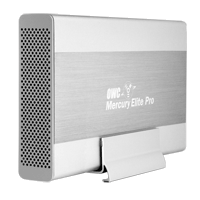
Well, I've finally run into some real problems with daisy-chaining firewire drives. I've been seeing some real poor performance out of drives. Symptoms include aborted file transfers, the hanging up of the system when a movie is played, and very slow write performance. I think I've figured out the cause. There seems to be some problems mixing certain drives in one chain. In particular, I think certain drives from Other World Computing (OWC) don't play well with other drives, in particular drives from G-Technology, like the G-Raid. OWC makes the Mercury Elite Aluminum Pro drive and RAID. G-Technology makes the G-Drive and the G-RAID.

The workaround I've identified is to make sure that a chain of drives is all from one manufacturer. For example, in our dub room setup, the G-Drive is on a firewire 400 port and the OWC drives are on the Firewire 800 port. Our computers in Edit 2 & Edit 3 have PCI cards that add 3 firewire 800 ports. So there are a lot of ports there, and it's easier to segregate OWC and G-Technology drives.

So far I've been able to diagnose this problem by checking the read/write performance of drives when I think there is a problem. I've been using the SpeedTools utility QuickBench to check drives by running the Extended Test with 20-100 MB files. If you are seeing a drive read or write at 10 MB/sec or slower then something is seriously wrong. If you think daisy-chaining may be the issue, a quick way to check is to unplug all the drives except the one that is acting up. If you then retest the drive and performance is way up, then you probably are dealing with a problem with daisy-chaining.

I've seen other, less serious problems with daisy-chaining. My write speeds on G-RAID's drops by about half when they are daisy-chained. This is a nuisance, but it's never really interfered with my work. I'm not doing any capture of 10-bit video or anything too demanding luckily.