Thursday, October 11, 2007

Daisy-Chaining Firewire Drives

I've identified some serious problems with drive performance when daisy-chaining at Link TV. Daisy-chaining is a way to hook up multiple devices (in this case, hard drives) to one port (in this case, firewire). Firewire is theoretically supposed to handle 63 devices in one chain. I've been daisy-chaining firewire drives to FCP for 6 years, but Apple doesn't consider this a supported setup for editing.

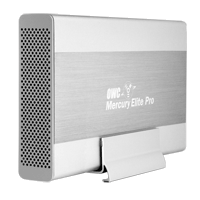
Well, I've finally run into some real problems with daisy-chaining firewire drives. I've been seeing some real poor performance out of drives. Symptoms include aborted file transfers, the hanging up of the system when a movie is played, and very slow write performance. I think I've figured out the cause. There seems to be some problems mixing certain drives in one chain. In particular, I think certain drives from Other World Computing (OWC) don't play well with other drives, in particular drives from G-Technology, like the G-Raid. OWC makes the Mercury Elite Aluminum Pro drive and RAID. G-Technology makes the G-Drive and the G-RAID.

The workaround I've identified is to make sure that a chain of drives is all from one manufacturer. For example, in our dub room setup, the G-Drive is on a firewire 400 port and the OWC drives are on the Firewire 800 port. Our computers in Edit 2 & Edit 3 have PCI cards that add 3 firewire 800 ports. So there are a lot of ports there, and it's easier to segregate OWC and G-Technology drives.

So far I've been able to diagnose this problem by checking the read/write performance of drives when I think there is a problem. I've been using the SpeedTools utility QuickBench to check drives by running the Extended Test with 20-100 MB files. If you are seeing a drive read or write at 10 MB/sec or slower then something is seriously wrong. If you think daisy-chaining may be the issue, a quick way to check is to unplug all the drives except the one that is acting up. If you then retest the drive and performance is way up, then you probably are dealing with a problem with daisy-chaining.

I've seen other, less serious problems with daisy-chaining. My write speeds on G-RAID's drops by about half when they are daisy-chained. This is a nuisance, but it's never really interfered with my work. I'm not doing any capture of 10-bit video or anything too demanding luckily.

Monday, October 8, 2007

DIY Teleprompter

Creativity to Spare claims that you can make a decent teleprompter with glass from a picture frame. I can't vouch for that, but it wouldn't cost any cash to check it out.

The tutorial also includes a link to a build-your-own teleprompter product (see image) that includes beam splitter glass, like that used for real teleprompters. Looks like about $100 for a good piece of beam splitter glass and for $250 you can get a kit that includes a stand (looks like it has adjustable height). Tutorial also includes links to free Mac software to flip your type, so that it looks right in a mirror.

For a full-featured product at the low-end, Prompter People offers a 15" Teleprompter with a stand and an LCD screen for $1299.

[via FreshDV]

Saturday, October 6, 2007

Canon's 24F Format in FCP

"Final Cut Pro 6 Techniques: Editing with Canon’s 24F"

A short article on dealing with Canon's flavor of HDV at 24 fps and cutting with it in FCP. Canon's A1, G1, and XL-H1 all have this mode as an option, as well as 30F and good-old 60i.

But editing in 24 fps video isn't right for everyone. If you are going for a filmic-look and you're not mixing in footage that's 60i and and your distribution format is DVD--then 24 fps makes total sense. But 24 fps and all its various flavors that manufacturers have created, can cause lots of headaches in post. Here's a commentary on trying to work with 24fps for broadcast purposes over at Little Frog in High Def.

[via Digital Camcorder News]

Wednesday, September 26, 2007

Compressor 3 Tutorial

"Compressors' New Interface"

I just took a glance at this, but it looks like another good article over at kenstone.net. Not only does it go over some basic things about getting around the new version of Compressor, but it looks like it does a good job of talking about how to encode for DVD's.

I had a lot of trouble with variable bit rate encoding with Compressor 2, so I've been just sticking with constant bit rate. But once I upgrade I'm going to have to figure out the average vs. max bit rates for variable bit rate encoding. Some stuff on that in the article, plus it will help you figure out the normalize setting for your audio.

[via Studio Daily Blog]

Monday, September 17, 2007

XDCAM EX Codec

I tracked down some more info about the codec used for the new Sony XDCAM PMW-EX1 camcorder. As you can see from the table above, there are two general recording codecs. The HQ model has a higher maximum bit rate that is variable and also includes different resolutions--either 1920x1080 or 1280x720. The SP mode is basically the same codec as HDV 1080 line variation that Sony uses in the Z1 and V1. It is a constant bit-rate at 25mb/s at a resolution of 1440x1080. The advantage of working in this mode is that the signal is compatible with gear that knows HDV, like FCP or an HDV deck. So that while shooting, you could record to a Sony HDV deck or you could record with capture now in FCP through firewire out on the camera.

Interestingly, the SP mode has the same limitations on variable frame rate as other Sony camcorders, like the V1. That is, you can record 24p (or really 23.98p) but it it recorded with pulldown into a regular 60i (29.97interlaced) signal. So to edit that in native 24 fps, you need to remove the pulldown, which is tricky to do (especially so if you want to keep your timecode.) It looks like the HQ mode handles real variable frame-rate, recording the signal in the frame-rate that you set and not trying to squeeze (or stretch) it into 30 interlaced fps. All XDCAM EX media files have a MP4 (MPEG-4) wrapper.

No DV or DVCam recording. The bad thing about that is that you could have squeezed a lot more video on the expensive SxS cards with support for standard definition recording. Prices are around $500 for 8GB and $900 for 16GB now. With 16GB of memory you get as little as 50 min. in HQ mode, and exactly 70 min. in SP mode.

We are still waiting for a direct interface for importing from the memory cards into FCP. I'm not sure if there is any support right now for the files on the memory card and FCP yet, but hopefully Apple is working on getting a good solution soon.

Here's a direct quote from the rather large PDF that I got this info from:

The SP mode supports 1440 x 1080 resolution at 25 Mb/s,
which provides compatibility with HDV 1080i products.
Footage recorded in the SP mode can be seamlessly
integrated into HDV-compatible editing systems by
connecting the camcorder via the i.LINKTM* (HDV)
interface. It can also be recorded on XDCAM HD's optical
disc through the use of the supplied Clip Browser software.

Sunday, September 9, 2007

More Sony Camera Goodness

Update: More info is rolling out about these cameras, including official annoucements from Sony for the new HDV mini and the HDV Full. They don't have official names yet even, but I'm copying these names from this awesome webpage that covers just about every piece of HD gear that would be of interest to the prosumer markert called Frank's Thoughts on HDV. I'd also recommend this analysis of the new Sony HDV gear at IEBA blog.

Sony is promising some HDV cameras with interchangable lens in 2008. HD for Indies has a short post about it and a YouTube video from the IBC conference (where I got the images.) The posts only mentions a handycam model, but the video shows a shoulder-mount HDV camera too with interchangable lens. Seems like Sony is finally taking HDV seriously as a pro format. I haven't seen anything official from Sony on this yet. Interesting that these cameras have a 1/3" sensors, but the XDCAM EX has 1/2" sensors but a fixed lens (of course, there are some XDCAM HD cameras with interchangable lenses that cost over $10k.)

Saturday, September 8, 2007

New Sony Memory Card Prosumer Camera

Sony looks like it has a great new camera on its hands for the prosumer market. The PMW-EX1 records to solid state memory--a new format called SxS Pro. Unlike P2, it looks like there will be multiple manufacturers, which means lower prices in the long run. The EX1 should be selling in November for around $7,500 with two 8GB memory cards included.

For editors, very confusing what this means right now. The recording format is based on the XDCAM format, which is recorded on blu-ray optical discs. But EX1 tweaks the formats--different file wrappper and the option for higher resolution, a full 1920x1080. The new XDCAM EX format is not fully supported by Final Cut, but there might be some native support if you shoot in the right way with this camera--not sure. Also the camera has a firewire port on it that says HDV. The camera doesn't record in HDV but can it transcode? Lots of questions.

This camera looks like a giant step up from the Z1 in just about every way. If you want the low-down there are already a few articles on the web from folks who have been testing pre-production models. Here's a good overview from FreshDV of what info is out there about the EX1. Here are two in-depth articles, one from Nigel Cooper and another from Simon Wyndham. There are so many interesting new features on this camera, it's worth getting a broad overview.

I'm still not sold on the tapeless workflow, but this looks a great camera. I'm just worried about backup for this footage. Sony offers a unit that transfers from the SxS Pro cards to Sony's XDCAM discs (with some drawbacks as Simon Wyndham points out.) Otherwise, it's archive like you do computer data--either optical disc burning or stacking up hard drives on your shelf.

Wednesday, September 5, 2007

Random Thoughts on New iPod Lineup

Go to Apple if you want the basics on the new iPod lineup and to oggle the goods. Here's some reactions that I've had to the new gear.

I'm glad that the new iPod Touch has WiFi. I'd like to see Apple do more with it. Granted, the Safari mobile browser is awesome and trumps any other lame WiFi application that any other portable media player has tried. I was hoping for live MP3 streams, i.e., internet radio over WiFi. Too much of a battery drain, maybe? I've heard a complaint about how quickly WiFi drains the iPhone battery.

Also I was hoping for podcast downloading over WiFi. For me, I try to download Democracy Now every morning before I go into work, but sometimes they're late or, or even more rare, I leave early. If I could download over WiFi then I could get the podcast at work and still listen to the news on the way home.

The only thing that can be downloaded on the iPod Touch over WiFi is music through the Store--which means that except for one song a week, you gotta pay. Instead of working on their partnership with Starbuck's, I wish Apple was opening up downloads of free podcasts.

iPod Touch has the same YouTube application that the iPhone has. I played around with YouTube on an iPhone at the Apple Store. I found Mosaic on it, but the interface was too tiny for me to figure out which date it was. Also WiFi doesn't seem as good a platform for spending downtime browsing the web or YouTube as high-speed cellular is--if you are in an area with WiFi then mostly likely you can get on a computer. I had my hopes for city-wide WiFi in San Francisco, but that's collapsed now after EarthLink pulled out. It sounds like the Starbuck's deal only allows you to browse the iTunes Store, not the web or YouTube.

I guess it's too much to ask to be able to be able to share songs with other iPod's and computers over WiFi--the record labels would freak out about that. "Hey buddy have you heard this song? No? Well then I'll just zap it to you over WiFi!" I hope someone comes up with a hack to do that. Even better, transfers from an iPod to your friend's computer--"Hey buddy, can I get all of the music in your iPod?" (Although with a sync cable and software, you can already do that without WiFi.) I'm guessing that the iPod Touch runs on OS X, like the iPhone. Seems like there's already a big group of folks hacking into the iPhone, and I hope to see some similar work done on the iPod Touch.

I also really want to see Flash on the iPhone, iPod Touch. Apple shows the New York Times homepage on their demo--oh, ignore the blank spot in the lower-left corner please. That's just where The NYT streams Flash videos. What's the holdup? Is Flash video too processer-intensive? Do Adobe and Apple have to reach some agreement?

Big price drops on the iPhone. Get a 4GB iPhone on clearance for $299, while supplies last. In the future, it's only the 8GB iPhone for $399.

Capture More Than One Source at Once


This looks like an interesting new product. It's called MovieRecorderDV. I got the details on this press release. It says it will capture multiple streams of DV video at once and cites an example of using a laptop to capture multiple sources. I can see it as a mini control-room-like setup in the field. Although I have some doubts about how many video streams could be handled on a single firewire bus, especially if you are trying to capture the video on that same firewire bus. Seems like you would need to record either to the internal drive or have another bus (either firewire or SATA) on an ExpressCard setup for a laptop. It's a bit pricey--around $900.

Another interesting application would be as a central recorder for a setup like Mosaic, where we are recording a bunch of stuff off-air. Instead of buying DVD-Recorders with hard drives, a central Mac could record multiple feeds at once. Softron has a product called DV Recorder, but I'm not sure if it's the same product. DV Recorder is programmable.

Or if you are a really productive editor, you can be capturing from multiple deck while at the same time, you are editing in FCP. How's that for multi-tasking.

There's also Movie Recorder for working with non-DV sources of video, like uncompressed SD. Another $900 for this too. How about some HDV support?

Wednesday, August 29, 2007

Check Your G5's for Leaks

Several of the Power Mac G5's used a liquid cooling system. It's basically like having a radiator around your processors. Most of the G5's were air-cooled. I think it was only the dual 2.5 GHz released in 2004, the dual 2.7 GHz released in 2005 and the Quad G5 that had the liquid-cooling system.

I remember thinking at the time that I would avoid these systems because of concerns that the liquid cooling would eventually leak, damaging the computer. Well, we got a good deal on a dual 2.5 GHz in the summer '05 and it has been used to edit Mosaic since then. Knock on wood, no problems yet. I also use a Quad G5 now.

Xlr8yourmac.com is keeping track of reports of leaking G5's. Very disheartenging. These leaks cause major problems and Apple is not being too helpful with the very expensive repairs. Worth keeping an eye (or in some cases an ear) out for any potential problems--the sooner the leak is discovered, the better.

Photos here at hardmac.com. Warning, these are graphic images that some readers may find distrubing. Enough to keep me up at night.

Monday, August 27, 2007

Backing Up Projects

"DVD-Rs for Media Back-up in FCP"
This is a good article over at kenstone.net that I found over at freshdv.com. Good tips on archiving projects.

There's a lot in the article about what's the biggest size file that will fit on a single-layer DVD. I guess that's important if your project has long, uninterrupted footage or your dealing with codecs that are more data-intensive than DV. Usually I find in my project that the media manager will cut my media files down to size. However, sometimes I'm preplexed when the trim clips feature doesn't work with media manager and I think it should.

Thursday, August 23, 2007

Neither Fish Nor Foul

Sony just announced a new HDV camera that is sort of a maddening combination of pro and consumer features. It's called the HVR-HD1000U.

The positives:
-Only $1900
-Shoulder-mounted (Sony's first for HDV)
-Either viewfinder or LCD screen apparently usable while shoulder-mounted

The drawbacks:
-The same CMOS chip used in their consumer cameras
-I don't see any XLR sockets on that thing
-No announcement for progressive shooting modes like on the V1

After working on a shoot this weekend in the bright California sun, I remembered the benefits of a good viewfinder (not sure if this is indeed a decent viewfinder.) Shoulder-mount is great for handheld shooting, but you have to deal with the bigger body size when lugging it around. No XLR audio is sort of a deal-breaker for me. Seems like this is mainly for wedding videographers. Available in Dec.

Update: Here is a good overview of what's lacking on this camera (e.g., good zoom lens), as well as something that I didn't know--Sony showed a pro HDV shoulder-mount mockup at NAB. Where's that, Sony? Also from the same site, a good, thoroughly-negative review of what's missing from one of Panasonic's "pro" cameras AG-HSC1U.

Tuesday, August 21, 2007

Bad Firewire Ports on Decks

We just got a bad firewire port on a Sony HDV deck (HVR-M10U). It looks to me like a wear-and-tear issue--the deck gets moved around a lot with lots of folks pluging in cables and taking them out. I was talking to our repairperson from Advanced Systems Group, and he offered some advice on how to deal with firewire on decks.

Our repair guy, Al, says that he has seen a lot of firewire ports on decks go bad. I think he was describing a different kind of problem--our port looks rather mangled, which IMHO is the cause of the problem (a cable won't even fit into the port.) But he says that the firewire port on decks often die without any visible wear-and-tear (especially 4-pin ports, which is what Sony uses on its prosumer and consumer gear.) Here's a a workflow that Al recommended to help prevent dead firewire ports:

Connecting a deck with firewire to a computer
-Make sure nothing is plugged into the deck, especially a power cable
-First plug the firewire cable into the computer
-Then plug the firewire cable into the deck
-After that, plug in the other cables and power up the deck

Apparently, one possible cause of bad ports is trying to plug a firewire cable in backwards, which I think is easier to do on a computer with a 6-pin connector. If you plug a firewire cable in backwards either on the deck or on the computer (when the deck is plugged in on the other end) then this can kill the port on the deck. You may think this is hard to do, but I've heard first hand of an anonymous someone who did this on a hard drive (thus, killing the firewire port on the hard drive.) I have an old G4 that had lots of problems with firewire 400 ports going bad.

I've heard that firewire 800 is a lot more resilient to these types of problems. That's one reason why I always try to use firewire 800 interface--if a hard drive has both a firewire 400 and a firewire 800 port, I always cable with the firewire 800 port if possible. Despite what the terminology implies, only under ideal situations do I find that I really get a lot more performance out of firewire 800 than firewire 400 (see my post "The Trouble with G-RAID's"), but for me it's worth it to use firewire 800 for the added peace of mind.

If you want to get all nerdy on firewire problems, I'd recommend this article "FireWire Port Failures in Host Computers and Peripheral Devices" over at the Wiebetech site.

Sunday, August 12, 2007

iMovie 6 for Free

Apple released iMovie '08 (skipping '07 all together) as part of the new iLife '08 suite. Apple has really changed the application--some say for better, others for worse. I like that it provides a way to catalog video like you can catalog photos in iPhoto. I have a new niece, and my Mom is going bonkers recording movies on her flash-memory camera/camcorder. This new iMovie will be great for sorting through all those movies easily.

They have also simplified the edtiting process. After watching demos, it does look like it is a really fast way to put something simple together. I taught my Mom iMovie, and it was maddening for me to figure out how to cut in older versions of iMovie. But some features have been taken out it seems in transitioning to the simpler editing approach.

Apparently to compensate for high system requirements for iMovie '08, Apple is giving away iMovie 6 (the previous version) for free here. You're supposed to have iLife '08 to install it, but there are workarounds. xlr8yourmac.com has details on the workarounds (sorry, I don't have a direct link to the workarounds info on the site.)

Wednesday, August 8, 2007

Automatic Sync's Caption Sync

I recently tried out an interesting new service provided by Automatic Sync called CaptionSync. We needed to get a program closed-captioned for a feed to PBS stations. Captioning is usually either labor-intensive (not real-time) or poor quality (real-time.) And for labor-intensive, also assume expensive. Not only is it expensive to pay an operator to spot all of the subtitles, but the gear to encode the closed-captioning isn't cheap either.

I found CaptionSync a good alternative to traditional closed-captioning. CaptionSync is a web-based service that essentially works on voice recognition. Now, you need to provide the service a transcript--it can't create a transcript from just audio. But you send CaptionSync the audio, and then it will spot your subtitles for you. After uploading a transcript and an audio file, you wait a couple of minutes and then you get an email with your captions in whatever format(s) you asked for. My cost was $45 for a half hour, and I think that's pro-rated based on $90/hour.

There are a few tricky things with the service. They recommend that the audio you send them only include the voice to be captioned/subtitled. I was sending them a documentary, so I had to make a pass on the film and delete all the audio clips that had no voice or were in a foreign language. Some time, but not too bad. The quality of the spotting was good but not perfect. I had a problem getting one bit of dialogue recognized, maybe because the speaker had an Arabic accent. You can resubmit the job if you aren't happy with the results. For example, I accidentally left in some Arabic voice in the audio track that I sent them, and it totally screwed up the subtitles. So I made a different audio export with no Arabic and then the captions were back on track. I also was able to do some tweaking with the formatting after checking out my results. Again, not a problem to resubmit a job with no extra charge.

Now, the tricky part came in getting the closed-captioning into my program. There is software that will encode closed-captions into a QuickTime movie. It's called MacCaption, and it costs $1000 for a DV version and $2000 for an uncompressed version. No, I didn't add an extra zero. That's one to two thousand dollars just to encode the closed-captioning data into video. Obviously buying the software would blow my budget. So I figured out a work-around. Here's what I did.

I asked CaptionSync for an STL file with my captions. DVD Studio Pro uses STL files to generate closed captions. So I burned that to a DVD. Then I played back that DVD and captured the video as uncompressed. The uncompressed capture records the closed-captioning which is in the vertical interval of the video signal. Now, I don't actually want to use video from the DVD--as it has been heavily compressed and then gone through an analog generation. So I composited the video of the program on top the captured video clip with the captioning. I cut the show in the DV codec, so the program's video didn't overlap the captioning. However, I think an uncompressed clip would normally cover up the captioning because uncompressed video has more lines of video than the DV codec handles. In that case, the solution is to just add a bit of video cropping to the top of the video and the captioning will be revealed. I was working with a TV that could display the captioning while I was doing all of this--to make sure that I had the captions and they were staying in place. Then I mastered to Betacam. I think closed-captioning is supported with DVCam, but I don't know how to make that work.

My work-around was time-consuming, but it didn't cost me any more $$'s. If fit my criteria of cheap with a good-looking master and good (but not perfect) captions. If I was going to be doing this regularly I'd have to think seriously about MacCaption's software encoding of closed-captioning.