Wednesday, November 7, 2007

Leopard Blogwad

Leopard/OS 10.5 has been for about a dozen days. I'm never an early adopter of OS upgrades because there are bound to be bugs. If you are in a rush to install Leopard, here's some suggested reading.

"Apple chastised for ignoring two Mac data loss issues"
Data loss bug in Leopard--also talks about suspect hard drives in MacBook's and MacBook Pro's

"Suggestions for a Better Leopard Installation"
Good advice here. I clone boot drives before I upgrade the OS.

"How-To: Know your APE status before upgrading to Leopard"
A version of Unsanity's APE (Application Enhancer) has been causing problems with Leopard installs--systems hang up for really long times after the install.

"Getting your Mac ready for OS X 10.5"
More reading before you install Leopard. Focuses on prepping the system for the upgrade by installing latest 3rd party updates, removing unneeded files, and using software with uninstaller libraries. For the advanced or fastidious.

"My Leopard (aka OS X 10.5) experience "
"Leopard stuff for editors"
HD for Indies posts on installing Leopard on the blogger's souped-up FCP systems. AJA has not issued drivers for Leopard. Blackmagic released drivers very quickly.

Thursday, November 1, 2007

Security Warning: This Is Not a Test

"Mac Trojan prowls porn sites:
Changes DNS settings, shunts users to more porn, phishing sites"


With Apple's market share skyrocketing these days, I think we can expect to see more and more viruses and malware for the Macintosh. Well, there is a piece of malware out in the wild for the Mac. It takes over your web browser and redirects you to porn and phishing website.

The exploit works when users try to play what-they-think-is a movie. A window pops up and says that Quicktime doesn't have the codec to play the movie and prompts you to download and install the "codec". The codec is actually a trojan horse that can take over your browser. Obnoxious but doesn't sound deadly. The trojan horse is on porn sites.

So no surfing porn sites at the office. Ahem, you know who you are. (Just kidding.)

Codecs and Editing

"When to stay in the native codec of the source, and when to convert to something else."
by Philip Hodgetts

Good article by Philip Hodgetts over at kenstone.net. A pretty thorough run-thru of recommendations of what codec to edit in based on what codec you shoot on. Also talks about how to convert to other codecs using the batch export command.

I wonder about his recommendation to convert HDV to ProRes 422 though. The article says to convert HDV to ProRes 422 either during capture if you'd got the hardware or by converting in FCP after capture. I would probably edit in the native codec, but render to ProRes 422. I've never been through the lengthy conforming that he describes HDV requires when you master back to HDV. Then again, I've never even posted in HD. But my thinking is that I'd rather save the storage by keeping footage in the more compressed HDV codec. (HDV is 25 mb/s while ProRes 422 for 1080 footage goes from 140 mb/s up to 220 mb/s.)

The article doesn't mention a workflow that we use at Link TV. Shoot on HDV, but use the deck to down-convert to DV. I think Sony's gear does a really good job on the down-conversion. I think it's better than what FCP does. I've captured some footage at HDV and then scaled it down in FCP to standard-def, and I don't think it looks as good as HDV down-converted in the deck. The article also covers the problems with DV in respect to color space.

[via StudioDaily Blog]

Wednesday, October 17, 2007

AVCHD Support in FCP

The 6.0.1 update for FCP back in June added support for the AVCHD format. There's a document out now from Apple that describes all of the limitations of support (e.g., doesn't work on PowerPC Mac's.) Here's a good write-up on the current status of AVCHD support for FCP.

AVCHD is mainly a consumer-oriented format. Panasonic has actually used AVCHD within its pro line of cameras with the small AG-HSC1U. According to Digital Camcorder News, the Sony HDR-SR7 and HDR-CX7 AVCHD cameras are the most popular camcorders among its visitors. Canon recently introduced a tapeless camcorder HG10 that uses AVCHD to record.

Tuesday, October 16, 2007

iFlop

Just to prove I'm not a shill for Apple, here are a couple of their recent disappointments.

Back at NAB, Apple announced that Final Cut Server would be available by the summer of 2007. I gave it a positive plug at the time. Well summer came and went with nary another peep from Apple about Final Cut Server. Recently, Apple added to the FCS webpage a release date of "early 2008". I'm guessing we won't see it again until NAB 2008. Apple isn't known for vaporware, but this is a prime example.

"iFlop"
While I don't agree with everything in this article from Forbes, the Apple TV has had a disappointing run. While expecting it to become the iPod of the television might have been pushing it, even Steve Jobs went on to call the Apple TV a mere "hobby". Here is one of my old plugs for Apple TV where I hoped it would become a great platform the video podcasts like our Mosaic.

For me one of the big problems is that the product is basically designed only for high-def TV's, but Apple doesn't really have any high-def content. My guess is that this isn't mainly Apple's fault. I blame the entertainment companies who I think are afraid that Apple will corner the video market like they have cornered the music download market. Universal in particular has been playing hardball with Apple on its NBC TV Shows and and is trying to organize some other record labels for a competing music service. Another big feature missing on Apple TV is movie rentals. Steve Jobs has said that people want to "own" their music (I agree), so is that his view on movies or the entertainment companies'?

Just look at the HD-DVD and Blu-ray fiasco to see an example that the entertainment companies, not to mention the consumer electronics manufacturers, just don't get it. Most of the movies studios are only supporting either HD-DVD or Blu-Ray, not both formats. So if you want to watch Universal or Paramont pictures, then buy a HD-DVD player, but if you want Sony, 20th Century Fox, or Disney movies, then get a Blu-ray player. Average consumers would never buy into this crazy scheme. Each company is trying to maximize their own company's advantage to the detriment of the consumer and thus the overall market for high-def movies. For music, it took an explosion of illegal downloads, to scare the record labels into all buying into Apple's music store. Here's one advocate for doing the same thing for video ("Apple TV Fails to Tap the Net's Limitless Library").

Not that Apple is blameless in the content world. Apple will not let other hardware manufacturers make products that will work with iTunes or play content with Apple's DRM for music or video. And Apple won't add support for content from other DRM schemes on their hardware. When it comes down to it, Apple is probably just as evil as Microsoft or the entertainment companies would be. But at least Apple's products are nearly all universally strong in interface, ease-of-use, quality, and reliability.

Monday, October 15, 2007

The Hazards of CMOS Sensors

SENSOR ARTIFACTS AND CMOS ROLLING SHUTTER
An interesting write-up at DVX user on artifacts from CMOS sensors. All camcorders have traditionally used a CCD as the image sensor, but CMOS is making some serious in-roads. Sony in particular has really jumped on the CMOS bandwagon for its new prosumer/low-end pro cameras, like the V1 and the new PMW-EX1. Panasonic's offering on the other hand are sticking with CCD's. It's not surprising that the DVX forum, devoted to Panasonic's HVX-200 and the DVX-100, would have a few nasty words about the CMOS.

The CMOS artifacts they point out are smear, wobble, and partial flash. I've run into problems with fluorescent lights on CCD shots in stuff shot abroad. Nasty flickering in the video. With CCD's adjusting the shutter speed can help (see this previous post). But even this tip may not help if you are using a CMOS chip and get the partial flash artifact. In CMOS, the flicker will only affect certain parts of the frame at certain times. Similarly, flashes of light (e.g., from photographs) often only appear in parts of the frame. Read the article to understand why and see some scary examples.

The other scenarios where CMOS can be a serious problem are aerial shoot and shoots from a shaky platform, like a moving car.

[via FreshDV]

Thursday, October 11, 2007

Daisy-Chaining Firewire Drives

I've identified some serious problems with drive performance when daisy-chaining at Link TV. Daisy-chaining is a way to hook up multiple devices (in this case, hard drives) to one port (in this case, firewire). Firewire is theoretically supposed to handle 63 devices in one chain. I've been daisy-chaining firewire drives to FCP for 6 years, but Apple doesn't consider this a supported setup for editing.

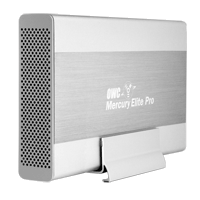
Well, I've finally run into some real problems with daisy-chaining firewire drives. I've been seeing some real poor performance out of drives. Symptoms include aborted file transfers, the hanging up of the system when a movie is played, and very slow write performance. I think I've figured out the cause. There seems to be some problems mixing certain drives in one chain. In particular, I think certain drives from Other World Computing (OWC) don't play well with other drives, in particular drives from G-Technology, like the G-Raid. OWC makes the Mercury Elite Aluminum Pro drive and RAID. G-Technology makes the G-Drive and the G-RAID.

The workaround I've identified is to make sure that a chain of drives is all from one manufacturer. For example, in our dub room setup, the G-Drive is on a firewire 400 port and the OWC drives are on the Firewire 800 port. Our computers in Edit 2 & Edit 3 have PCI cards that add 3 firewire 800 ports. So there are a lot of ports there, and it's easier to segregate OWC and G-Technology drives.

So far I've been able to diagnose this problem by checking the read/write performance of drives when I think there is a problem. I've been using the SpeedTools utility QuickBench to check drives by running the Extended Test with 20-100 MB files. If you are seeing a drive read or write at 10 MB/sec or slower then something is seriously wrong. If you think daisy-chaining may be the issue, a quick way to check is to unplug all the drives except the one that is acting up. If you then retest the drive and performance is way up, then you probably are dealing with a problem with daisy-chaining.

I've seen other, less serious problems with daisy-chaining. My write speeds on G-RAID's drops by about half when they are daisy-chained. This is a nuisance, but it's never really interfered with my work. I'm not doing any capture of 10-bit video or anything too demanding luckily.

Monday, October 8, 2007

DIY Teleprompter

Creativity to Spare claims that you can make a decent teleprompter with glass from a picture frame. I can't vouch for that, but it wouldn't cost any cash to check it out.

The tutorial also includes a link to a build-your-own teleprompter product (see image) that includes beam splitter glass, like that used for real teleprompters. Looks like about $100 for a good piece of beam splitter glass and for $250 you can get a kit that includes a stand (looks like it has adjustable height). Tutorial also includes links to free Mac software to flip your type, so that it looks right in a mirror.

For a full-featured product at the low-end, Prompter People offers a 15" Teleprompter with a stand and an LCD screen for $1299.

[via FreshDV]

Saturday, October 6, 2007

Canon's 24F Format in FCP

"Final Cut Pro 6 Techniques: Editing with Canon’s 24F"

A short article on dealing with Canon's flavor of HDV at 24 fps and cutting with it in FCP. Canon's A1, G1, and XL-H1 all have this mode as an option, as well as 30F and good-old 60i.

But editing in 24 fps video isn't right for everyone. If you are going for a filmic-look and you're not mixing in footage that's 60i and and your distribution format is DVD--then 24 fps makes total sense. But 24 fps and all its various flavors that manufacturers have created, can cause lots of headaches in post. Here's a commentary on trying to work with 24fps for broadcast purposes over at Little Frog in High Def.

[via Digital Camcorder News]

Wednesday, September 26, 2007

Compressor 3 Tutorial

"Compressors' New Interface"

I just took a glance at this, but it looks like another good article over at kenstone.net. Not only does it go over some basic things about getting around the new version of Compressor, but it looks like it does a good job of talking about how to encode for DVD's.

I had a lot of trouble with variable bit rate encoding with Compressor 2, so I've been just sticking with constant bit rate. But once I upgrade I'm going to have to figure out the average vs. max bit rates for variable bit rate encoding. Some stuff on that in the article, plus it will help you figure out the normalize setting for your audio.

[via Studio Daily Blog]

Monday, September 17, 2007

XDCAM EX Codec

I tracked down some more info about the codec used for the new Sony XDCAM PMW-EX1 camcorder. As you can see from the table above, there are two general recording codecs. The HQ model has a higher maximum bit rate that is variable and also includes different resolutions--either 1920x1080 or 1280x720. The SP mode is basically the same codec as HDV 1080 line variation that Sony uses in the Z1 and V1. It is a constant bit-rate at 25mb/s at a resolution of 1440x1080. The advantage of working in this mode is that the signal is compatible with gear that knows HDV, like FCP or an HDV deck. So that while shooting, you could record to a Sony HDV deck or you could record with capture now in FCP through firewire out on the camera.

Interestingly, the SP mode has the same limitations on variable frame rate as other Sony camcorders, like the V1. That is, you can record 24p (or really 23.98p) but it it recorded with pulldown into a regular 60i (29.97interlaced) signal. So to edit that in native 24 fps, you need to remove the pulldown, which is tricky to do (especially so if you want to keep your timecode.) It looks like the HQ mode handles real variable frame-rate, recording the signal in the frame-rate that you set and not trying to squeeze (or stretch) it into 30 interlaced fps. All XDCAM EX media files have a MP4 (MPEG-4) wrapper.

No DV or DVCam recording. The bad thing about that is that you could have squeezed a lot more video on the expensive SxS cards with support for standard definition recording. Prices are around $500 for 8GB and $900 for 16GB now. With 16GB of memory you get as little as 50 min. in HQ mode, and exactly 70 min. in SP mode.

We are still waiting for a direct interface for importing from the memory cards into FCP. I'm not sure if there is any support right now for the files on the memory card and FCP yet, but hopefully Apple is working on getting a good solution soon.

Here's a direct quote from the rather large PDF that I got this info from:

The SP mode supports 1440 x 1080 resolution at 25 Mb/s,
which provides compatibility with HDV 1080i products.
Footage recorded in the SP mode can be seamlessly
integrated into HDV-compatible editing systems by
connecting the camcorder via the i.LINKTM* (HDV)
interface. It can also be recorded on XDCAM HD's optical
disc through the use of the supplied Clip Browser software.

Sunday, September 9, 2007

More Sony Camera Goodness

Update: More info is rolling out about these cameras, including official annoucements from Sony for the new HDV mini and the HDV Full. They don't have official names yet even, but I'm copying these names from this awesome webpage that covers just about every piece of HD gear that would be of interest to the prosumer markert called Frank's Thoughts on HDV. I'd also recommend this analysis of the new Sony HDV gear at IEBA blog.

Sony is promising some HDV cameras with interchangable lens in 2008. HD for Indies has a short post about it and a YouTube video from the IBC conference (where I got the images.) The posts only mentions a handycam model, but the video shows a shoulder-mount HDV camera too with interchangable lens. Seems like Sony is finally taking HDV seriously as a pro format. I haven't seen anything official from Sony on this yet. Interesting that these cameras have a 1/3" sensors, but the XDCAM EX has 1/2" sensors but a fixed lens (of course, there are some XDCAM HD cameras with interchangable lenses that cost over $10k.)

Saturday, September 8, 2007

New Sony Memory Card Prosumer Camera

Sony looks like it has a great new camera on its hands for the prosumer market. The PMW-EX1 records to solid state memory--a new format called SxS Pro. Unlike P2, it looks like there will be multiple manufacturers, which means lower prices in the long run. The EX1 should be selling in November for around $7,500 with two 8GB memory cards included.

For editors, very confusing what this means right now. The recording format is based on the XDCAM format, which is recorded on blu-ray optical discs. But EX1 tweaks the formats--different file wrappper and the option for higher resolution, a full 1920x1080. The new XDCAM EX format is not fully supported by Final Cut, but there might be some native support if you shoot in the right way with this camera--not sure. Also the camera has a firewire port on it that says HDV. The camera doesn't record in HDV but can it transcode? Lots of questions.

This camera looks like a giant step up from the Z1 in just about every way. If you want the low-down there are already a few articles on the web from folks who have been testing pre-production models. Here's a good overview from FreshDV of what info is out there about the EX1. Here are two in-depth articles, one from Nigel Cooper and another from Simon Wyndham. There are so many interesting new features on this camera, it's worth getting a broad overview.

I'm still not sold on the tapeless workflow, but this looks a great camera. I'm just worried about backup for this footage. Sony offers a unit that transfers from the SxS Pro cards to Sony's XDCAM discs (with some drawbacks as Simon Wyndham points out.) Otherwise, it's archive like you do computer data--either optical disc burning or stacking up hard drives on your shelf.

Wednesday, September 5, 2007

Random Thoughts on New iPod Lineup

Go to Apple if you want the basics on the new iPod lineup and to oggle the goods. Here's some reactions that I've had to the new gear.

I'm glad that the new iPod Touch has WiFi. I'd like to see Apple do more with it. Granted, the Safari mobile browser is awesome and trumps any other lame WiFi application that any other portable media player has tried. I was hoping for live MP3 streams, i.e., internet radio over WiFi. Too much of a battery drain, maybe? I've heard a complaint about how quickly WiFi drains the iPhone battery.

Also I was hoping for podcast downloading over WiFi. For me, I try to download Democracy Now every morning before I go into work, but sometimes they're late or, or even more rare, I leave early. If I could download over WiFi then I could get the podcast at work and still listen to the news on the way home.

The only thing that can be downloaded on the iPod Touch over WiFi is music through the Store--which means that except for one song a week, you gotta pay. Instead of working on their partnership with Starbuck's, I wish Apple was opening up downloads of free podcasts.

iPod Touch has the same YouTube application that the iPhone has. I played around with YouTube on an iPhone at the Apple Store. I found Mosaic on it, but the interface was too tiny for me to figure out which date it was. Also WiFi doesn't seem as good a platform for spending downtime browsing the web or YouTube as high-speed cellular is--if you are in an area with WiFi then mostly likely you can get on a computer. I had my hopes for city-wide WiFi in San Francisco, but that's collapsed now after EarthLink pulled out. It sounds like the Starbuck's deal only allows you to browse the iTunes Store, not the web or YouTube.

I guess it's too much to ask to be able to be able to share songs with other iPod's and computers over WiFi--the record labels would freak out about that. "Hey buddy have you heard this song? No? Well then I'll just zap it to you over WiFi!" I hope someone comes up with a hack to do that. Even better, transfers from an iPod to your friend's computer--"Hey buddy, can I get all of the music in your iPod?" (Although with a sync cable and software, you can already do that without WiFi.) I'm guessing that the iPod Touch runs on OS X, like the iPhone. Seems like there's already a big group of folks hacking into the iPhone, and I hope to see some similar work done on the iPod Touch.

I also really want to see Flash on the iPhone, iPod Touch. Apple shows the New York Times homepage on their demo--oh, ignore the blank spot in the lower-left corner please. That's just where The NYT streams Flash videos. What's the holdup? Is Flash video too processer-intensive? Do Adobe and Apple have to reach some agreement?

Big price drops on the iPhone. Get a 4GB iPhone on clearance for $299, while supplies last. In the future, it's only the 8GB iPhone for $399.

Capture More Than One Source at Once


This looks like an interesting new product. It's called MovieRecorderDV. I got the details on this press release. It says it will capture multiple streams of DV video at once and cites an example of using a laptop to capture multiple sources. I can see it as a mini control-room-like setup in the field. Although I have some doubts about how many video streams could be handled on a single firewire bus, especially if you are trying to capture the video on that same firewire bus. Seems like you would need to record either to the internal drive or have another bus (either firewire or SATA) on an ExpressCard setup for a laptop. It's a bit pricey--around $900.

Another interesting application would be as a central recorder for a setup like Mosaic, where we are recording a bunch of stuff off-air. Instead of buying DVD-Recorders with hard drives, a central Mac could record multiple feeds at once. Softron has a product called DV Recorder, but I'm not sure if it's the same product. DV Recorder is programmable.

Or if you are a really productive editor, you can be capturing from multiple deck while at the same time, you are editing in FCP. How's that for multi-tasking.

There's also Movie Recorder for working with non-DV sources of video, like uncompressed SD. Another $900 for this too. How about some HDV support?