Tuesday, November 27, 2007

MacWorld Looks at 20" LCD Monitors

I remember when a 20" monitor was a big deal, and 2 years ago they cost around $500. Well, seems like Moore's Law is working its way into LCD displays, and prices are dropping. But there are so many models and manufacturers, it's often hard to find that sweet spot between quality and value.

MacWorld has just done a series of reviews on six 20" widescreen LCD monitors. These aren't the uber-expensive monitors for graphic professionals, and the review doesn't even include what has been my monior-mainstay: the Dell UltraSharp line. So I guess these would be considered value monitors geared more towards the consumer. Personally, I'm more worried about having a quality monitor for my video and less for my computer work-space. As long, as the color is decent, and the graphics crisp, I'm usually fine with my computer display.

With that philosophy in mind, it looks like they identify a couple of good monitors with words like "affordable", "inexpensive", and "effective" featured prominently in the reviews. The NEC MultiSync LCD205WXM monitor scored highest with a rating of 4 out of 5. The Dell E207WFP LCD monitor (not an UltraSharp) and the Samsung SyncMaster 206BW LCD monitor both got a rating of 3.5 out of 5. Also below I've thrown in some links to a HP 24" monitor (rating:4) and a ViewSonic 22" monitor (rating:3) that MacWorld has reviewed in the last 6 months.

NEC MultiSync LCD205WXM monitor 4 mice

Dell E207WFP LCD monitor 3.5 mice

Samsung SyncMaster 206BW LCD monitor 3.5 mice

BenQ FP202W V3 monitor 3 mice

Envision G2016wa LCD monitor 3 mice

HP w2007 monitor 3 mice

ViewSonic VA2026w LCD monitor 3 mice

HP LP2465 flat panel monitor4 mice
Large wide-screen LCD display offers good value

ViewSonic VX2245wm ViewDock monitor 3 mice

NEC Multisync LCD225WXM
Mac Life looks at the 22" NEC (the bigger brother to the 20" NEC that MacWorld likes) and gave it a 3 out of 5 rating. Good for office use, but not much beyond that. Complains about banding in gradients--ew, that's not good. Makes you wonder if the 22" performs worse than the 20" or if Mac Life has higher standards than MacWorld.

Saturday, November 17, 2007

Firewire 800 on Mac Towers

"REVIEW: Sonnet Technologies Tango Express 800 PCIe Card"

An interesting new product review here with lots of good tidbits about a number of different factors that have been affecting firewire on the Macs with PCI Express slots. Bare Feats says that this Sonnet card brings a new level of performance to its product class after some disappointing products from some other manufacturers (I think I have one of those disappointing products.)

Wednesday, November 14, 2007

Final Cut Studio Gets New Features, Leopard Support

Apple updated all of the apps in Final Cut Studio with official support for OS 10.5 today (the updates also work with 10.4.11, also out today.) But wait, there's more! If you call now, you'll also get support for some of the new high-def cameras.

The XDCAM EX format is now supported under FCP 6.0.2. So footage from Sony's PMW-EX1 is now supported. AVC-Intra, which Panasonic is using on its high-end cameras, is supported. And JVC's HDV recordings in 720p60 and 720p50 are supported. There looks like there is also more support for progressive recording from Canon's cameras and Sony HVR-V1. Check out the release notes for all of the details.

I looked at the release notes for the other products and nothing jumped out at me. It looks like Color got a lot of bug fixes based on the release notes.

Mike Curtis offers more detail and some commentary on the new features at HDforIndies.com.

Sony Officially Names Removable-Lens Cams & Announces New HDV Products (Updated)

Information is trickling in today about Sony's big new steps in HDV. First off, the new cameras that I mentioned in September now officially have names HVR-S270 for the shoulder-mount and HVR-Z7 for the handycam size. Lots of stuff coming along with it too. How about a new deck, the HVR-M35. The main feature addition seems to be 24P and 30P recording on this deck as well as HD-SDI output and more support for JVC and Canon HDV recordings. There's also a flash memory recording unit for both of these cameras the HVR-MC1 that records to Compact Flash in HDV, DVCam and DV.

Unfortunately, the only official announcements are from Europe and Japan and not for the US market. The Japanese I can't read (help from my Japanese readers?) and the European models don't have 24P support (they are all about 25P over there.) Official announcements from both Europe and the U.S. are out. Here are links to more info available now:

"SONY UNVEILS NEXT GENERATION OF PROFESSIONAL HDV PRODUCTS"
Official U.S. press release on these products. Also includes link to those super hi-res photos of the deck and the 2 cameras.

"Sony refreshes HDV line- HVR-S270U and HVR-Z7U"
Good coverage here with some analysis from the IEBA Tech Thoughts blog.


Sony: The Next Generation Of HDV Products
Sony's Europe page on the new products

Frank's thought on HDV
Info on HVR-S270, HVR-Z7, and HVR-M35

More on Sony's New DV-Compatible HDV Camcorder and Deck
StudioDaily has US-focused info including some comments from Sony and prices:
HVR-S270U $10,500
HVR-Z7U $6,850
HVR-M35U $5,540

These products should be in the States in February '08.

Seems like Sony's HVR-Z7U is really very competitive with it own PMW-EX1. The $6,900 PMW-EX1 doesn't have an interchangeable lens and doesn't record to tape but has larger 1/2" sensors and the variable-bit rate 35 Mbps recording mode. The HVR-Z7U has 1/3" sensors but interchangeable lens and with the HVR-MC1 can record to flash memory as well as tape. I'm not sold on the solid-state memory recording as the only media for a camera personally.

The new cameras come with 12x lens with optical image stabilization.

I'll need to keep up with this. I'm not really sure if there is some new flavor of HDV that Sony is using for progressive-frame support. The V1 has 24p but records to 60i using 2:3 pulldown. Makes for easy compatibility but tricky to post as native 24p. (Update: This just got easier with the FCP 6.0.2 release.) I'm puzzled by the 24p and 30p modes for the HVR-M35 deck (which are visible on this photo) and what that means for these recordings compatibility with over Sony gear, like the HVR-M15, HVR-M25, and HVR-1500. Any difference in posting progressive recordings from this new gear? This progressive support on the deck may just be for displays, as 99% of HD displays (e.g., LCD & plasma) are progessive and not interlaced, so why send those display an interlaced image. The progressive displays have to have de-interlace, which causes a loss in vertical resolution.

Update: after thinking this over, I think a more likely benefit of the 24p and 30p playback mode is for using HD-SDI to capture and dub footage. HD-SDI signals support progressive video at 24, 25, 30 fps, as do capture cards like the Kona LH and Kona 3. So it seems like this opens up the option to capture without having to use your computer to remove pulldown to get to progressive video clips. Or it could be to dub footage to formats like HDCAM. Well, really I'll probably have to wait until this deck comes out, hopefully in February, to find out.

Update: There's a PDF of a brochure out for the European cameras and deck that make it clear that they can record in a progressive frame at 25 frames per second. Similary the HVR-M35E can record and playback 1080 progressive frames at 24 fps, 25 fps, and 30fps. So I'm guessing when more details emerge about the American models that we will see a different flavor of HDV that is 24fps, true progressive with no pulldown added. Canon is doing this with the HV-20, and the HVR-M35 is supposed to support tapes from that camera. So what happens if you try to put one of these tapes with 24fps footage into an older deck like the HVR-M10 or HVR-M25 or even the HVR-1500? I'm guessing you are in trouble. Also the HVR-S270 can record 4 channels of audio--a first for the HDV format. Will older decks support this format?

Monday, November 12, 2007

My Most-Used Freeware--Bitrate Pro

I don't know why Apple doesn't include something like this in Compressor and/or Final Cut Pro. The free Bitrate Pro will do a lot for you. How much space will 2 hours of DV footage take up? 20.95 GB. If I want to fit 1 hour and 45 minutes of video on a single-layer DVD what is the highest bitrate that I should use? 5.98 Mb/s. These are the kinds of calculations you can do with bitrate pro. Includes all kinds of handy info about how much data is on a DVD single-layer vs. dual-layer and what data rates different codecs use like ProRes, DV, DV50, and DVCPro HD.

AJA has a similar piece of freeware AJA Data Rate Calculator that is more geared toward figuring out storage for editing. They have presets for most of the editing codecs that their hardware has native support for.

I couldn't remember the name of Bitrate Pro, but I was able to track it down on this cool page that Apple has for video software downloads. You can always use versiontracker or macupdate, but I get overwhelmed by all the software on those sites. I think Apple helps make it manageable to explore freeware and shareware (although there's a lot of demo stuff thrown in there too.)

Free MacWorld Pass

Here's a deal from dealmac.com to get into the MacWorld exhibition hall for free. If you show up on the day-of and aren't registered, expect to pay $45 just to get into the exhibit hall--ouch. There will be other deals, but if you think you want to go then why wait. Just do it. Register now.

Here's one reason to go to the exhibit. Get your iPod battery replaced for around $20 while you wait. No shipping off and waiting to get your battery with more expensive services. Or even worse, trying to swap your battery on your own and breaking your iPod (I did that.)

MacWorld Expo
Jan. 15 - 18, 2008
Moscone Center
S.F.

Wednesday, November 7, 2007

Leopard Blogwad

Leopard/OS 10.5 has been for about a dozen days. I'm never an early adopter of OS upgrades because there are bound to be bugs. If you are in a rush to install Leopard, here's some suggested reading.
"Apple chastised for ignoring two Mac data loss issues"
Data loss bug in Leopard--also talks about suspect hard drives in MacBook's and MacBook Pro's

"Suggestions for a Better Leopard Installation"
Good advice here. I clone boot drives before I upgrade the OS.

"How-To: Know your APE status before upgrading to Leopard"
A version of Unsanity's APE (Application Enhancer) has been causing problems with Leopard installs--systems hang up for really long times after the install.

"Getting your Mac ready for OS X 10.5"
More reading before you install Leopard. Focuses on prepping the system for the upgrade by installing latest 3rd party updates, removing unneeded files, and using software with uninstaller libraries. For the advanced or fastidious.

"My Leopard (aka OS X 10.5) experience "
"Leopard stuff for editors"
HD for Indies posts on installing Leopard on the blogger's souped-up FCP systems. AJA has not issued drivers for Leopard. Blackmagic released drivers very quickly.

Thursday, November 1, 2007

Security Warning: This Is Not a Test

"Mac Trojan prowls porn sites:
Changes DNS settings, shunts users to more porn, phishing sites"


With Apple's market share skyrocketing these days, I think we can expect to see more and more viruses and malware for the Macintosh. Well, there is a piece of malware out in the wild for the Mac. It takes over your web browser and redirects you to porn and phishing website.

The exploit works when users try to play what-they-think-is a movie. A window pops up and says that Quicktime doesn't have the codec to play the movie and prompts you to download and install the "codec". The codec is actually a trojan horse that can take over your browser. Obnoxious but doesn't sound deadly. The trojan horse is on porn sites.

So no surfing porn sites at the office. Ahem, you know who you are. (Just kidding.)

Codecs and Editing

"When to stay in the native codec of the source, and when to convert to something else."
by Philip Hodgetts

Good article by Philip Hodgetts over at kenstone.net. A pretty thorough run-thru of recommendations of what codec to edit in based on what codec you shoot on. Also talks about how to convert to other codecs using the batch export command.

I wonder about his recommendation to convert HDV to ProRes 422 though. The article says to convert HDV to ProRes 422 either during capture if you'd got the hardware or by converting in FCP after capture. I would probably edit in the native codec, but render to ProRes 422. I've never been through the lengthy conforming that he describes HDV requires when you master back to HDV. Then again, I've never even posted in HD. But my thinking is that I'd rather save the storage by keeping footage in the more compressed HDV codec. (HDV is 25 mb/s while ProRes 422 for 1080 footage goes from 140 mb/s up to 220 mb/s.)

The article doesn't mention a workflow that we use at Link TV. Shoot on HDV, but use the deck to down-convert to DV. I think Sony's gear does a really good job on the down-conversion. I think it's better than what FCP does. I've captured some footage at HDV and then scaled it down in FCP to standard-def, and I don't think it looks as good as HDV down-converted in the deck. The article also covers the problems with DV in respect to color space.

[via StudioDaily Blog]

Wednesday, October 17, 2007

AVCHD Support in FCP

The 6.0.1 update for FCP back in June added support for the AVCHD format. There's a document out now from Apple that describes all of the limitations of support (e.g., doesn't work on PowerPC Mac's.) Here's a good write-up on the current status of AVCHD support for FCP.

AVCHD is mainly a consumer-oriented format. Panasonic has actually used AVCHD within its pro line of cameras with the small AG-HSC1U. According to Digital Camcorder News, the Sony HDR-SR7 and HDR-CX7 AVCHD cameras are the most popular camcorders among its visitors. Canon recently introduced a tapeless camcorder HG10 that uses AVCHD to record.

Tuesday, October 16, 2007

iFlop

Just to prove I'm not a shill for Apple, here are a couple of their recent disappointments.

Back at NAB, Apple announced that Final Cut Server would be available by the summer of 2007. I gave it a positive plug at the time. Well summer came and went with nary another peep from Apple about Final Cut Server. Recently, Apple added to the FCS webpage a release date of "early 2008". I'm guessing we won't see it again until NAB 2008. Apple isn't known for vaporware, but this is a prime example.

"iFlop"
While I don't agree with everything in this article from Forbes, the Apple TV has had a disappointing run. While expecting it to become the iPod of the television might have been pushing it, even Steve Jobs went on to call the Apple TV a mere "hobby". Here is one of my old plugs for Apple TV where I hoped it would become a great platform the video podcasts like our Mosaic.

For me one of the big problems is that the product is basically designed only for high-def TV's, but Apple doesn't really have any high-def content. My guess is that this isn't mainly Apple's fault. I blame the entertainment companies who I think are afraid that Apple will corner the video market like they have cornered the music download market. Universal in particular has been playing hardball with Apple on its NBC TV Shows and and is trying to organize some other record labels for a competing music service. Another big feature missing on Apple TV is movie rentals. Steve Jobs has said that people want to "own" their music (I agree), so is that his view on movies or the entertainment companies'?

Just look at the HD-DVD and Blu-ray fiasco to see an example that the entertainment companies, not to mention the consumer electronics manufacturers, just don't get it. Most of the movies studios are only supporting either HD-DVD or Blu-Ray, not both formats. So if you want to watch Universal or Paramont pictures, then buy a HD-DVD player, but if you want Sony, 20th Century Fox, or Disney movies, then get a Blu-ray player. Average consumers would never buy into this crazy scheme. Each company is trying to maximize their own company's advantage to the detriment of the consumer and thus the overall market for high-def movies. For music, it took an explosion of illegal downloads, to scare the record labels into all buying into Apple's music store. Here's one advocate for doing the same thing for video ("Apple TV Fails to Tap the Net's Limitless Library").

Not that Apple is blameless in the content world. Apple will not let other hardware manufacturers make products that will work with iTunes or play content with Apple's DRM for music or video. And Apple won't add support for content from other DRM schemes on their hardware. When it comes down to it, Apple is probably just as evil as Microsoft or the entertainment companies would be. But at least Apple's products are nearly all universally strong in interface, ease-of-use, quality, and reliability.

Monday, October 15, 2007

The Hazards of CMOS Sensors

SENSOR ARTIFACTS AND CMOS ROLLING SHUTTER
An interesting write-up at DVX user on artifacts from CMOS sensors. All camcorders have traditionally used a CCD as the image sensor, but CMOS is making some serious in-roads. Sony in particular has really jumped on the CMOS bandwagon for its new prosumer/low-end pro cameras, like the V1 and the new PMW-EX1. Panasonic's offering on the other hand are sticking with CCD's. It's not surprising that the DVX forum, devoted to Panasonic's HVX-200 and the DVX-100, would have a few nasty words about the CMOS.

The CMOS artifacts they point out are smear, wobble, and partial flash. I've run into problems with fluorescent lights on CCD shots in stuff shot abroad. Nasty flickering in the video. With CCD's adjusting the shutter speed can help (see this previous post). But even this tip may not help if you are using a CMOS chip and get the partial flash artifact. In CMOS, the flicker will only affect certain parts of the frame at certain times. Similarly, flashes of light (e.g., from photographs) often only appear in parts of the frame. Read the article to understand why and see some scary examples.

The other scenarios where CMOS can be a serious problem are aerial shoot and shoots from a shaky platform, like a moving car.

[via FreshDV]

Thursday, October 11, 2007

Daisy-Chaining Firewire Drives

I've identified some serious problems with drive performance when daisy-chaining at Link TV. Daisy-chaining is a way to hook up multiple devices (in this case, hard drives) to one port (in this case, firewire). Firewire is theoretically supposed to handle 63 devices in one chain. I've been daisy-chaining firewire drives to FCP for 6 years, but Apple doesn't consider this a supported setup for editing.

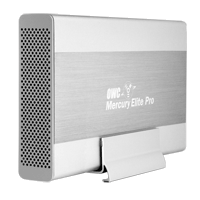
Well, I've finally run into some real problems with daisy-chaining firewire drives. I've been seeing some real poor performance out of drives. Symptoms include aborted file transfers, the hanging up of the system when a movie is played, and very slow write performance. I think I've figured out the cause. There seems to be some problems mixing certain drives in one chain. In particular, I think certain drives from Other World Computing (OWC) don't play well with other drives, in particular drives from G-Technology, like the G-Raid. OWC makes the Mercury Elite Aluminum Pro drive and RAID. G-Technology makes the G-Drive and the G-RAID.

The workaround I've identified is to make sure that a chain of drives is all from one manufacturer. For example, in our dub room setup, the G-Drive is on a firewire 400 port and the OWC drives are on the Firewire 800 port. Our computers in Edit 2 & Edit 3 have PCI cards that add 3 firewire 800 ports. So there are a lot of ports there, and it's easier to segregate OWC and G-Technology drives.

So far I've been able to diagnose this problem by checking the read/write performance of drives when I think there is a problem. I've been using the SpeedTools utility QuickBench to check drives by running the Extended Test with 20-100 MB files. If you are seeing a drive read or write at 10 MB/sec or slower then something is seriously wrong. If you think daisy-chaining may be the issue, a quick way to check is to unplug all the drives except the one that is acting up. If you then retest the drive and performance is way up, then you probably are dealing with a problem with daisy-chaining.

I've seen other, less serious problems with daisy-chaining. My write speeds on G-RAID's drops by about half when they are daisy-chained. This is a nuisance, but it's never really interfered with my work. I'm not doing any capture of 10-bit video or anything too demanding luckily.

Monday, October 8, 2007

DIY Teleprompter

Creativity to Spare claims that you can make a decent teleprompter with glass from a picture frame. I can't vouch for that, but it wouldn't cost any cash to check it out.

The tutorial also includes a link to a build-your-own teleprompter product (see image) that includes beam splitter glass, like that used for real teleprompters. Looks like about $100 for a good piece of beam splitter glass and for $250 you can get a kit that includes a stand (looks like it has adjustable height). Tutorial also includes links to free Mac software to flip your type, so that it looks right in a mirror.

For a full-featured product at the low-end, Prompter People offers a 15" Teleprompter with a stand and an LCD screen for $1299.

[via FreshDV]

Saturday, October 6, 2007

Canon's 24F Format in FCP

"Final Cut Pro 6 Techniques: Editing with Canon’s 24F"

A short article on dealing with Canon's flavor of HDV at 24 fps and cutting with it in FCP. Canon's A1, G1, and XL-H1 all have this mode as an option, as well as 30F and good-old 60i.

But editing in 24 fps video isn't right for everyone. If you are going for a filmic-look and you're not mixing in footage that's 60i and and your distribution format is DVD--then 24 fps makes total sense. But 24 fps and all its various flavors that manufacturers have created, can cause lots of headaches in post. Here's a commentary on trying to work with 24fps for broadcast purposes over at Little Frog in High Def.

[via Digital Camcorder News]